A well-planned desk setup can make work feel easier and more enjoyable. You do not need expensive equipment or a large room to create a comfortable workspace. Small changes to your desk height, lighting, screen position, and daily routine can help reduce distractions and support steady focus.
The best setup is one that fits your space, your work, and the way you use your desk. Start with the basics, then adjust one item at a time until everything feels natural.
Choose the Right Location
Your desk location affects both focus and comfort. If possible, place your desk in an area with enough natural light and limited foot traffic. A quieter corner can make it easier to concentrate, especially during tasks that require reading, writing, or online meetings.
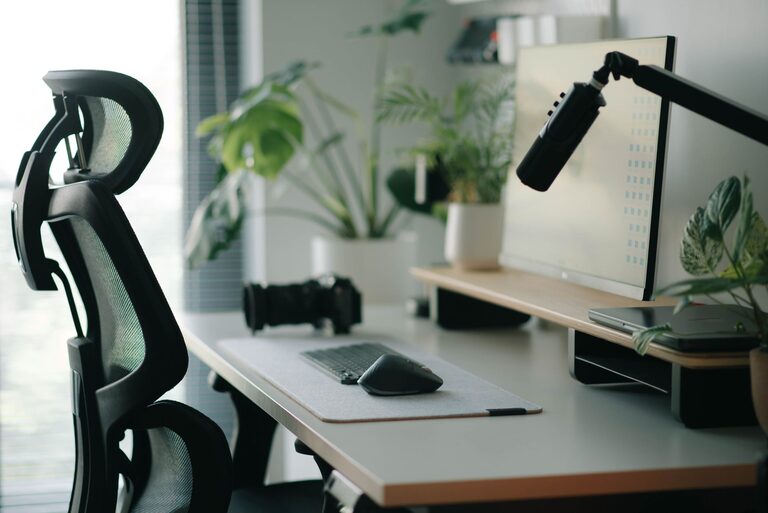
Try to avoid placing your screen directly in front of a bright window. Strong backlighting can make the screen harder to see, while direct sunlight may create glare. Positioning the desk beside a window often provides useful daylight without making the screen uncomfortable to view.
Also consider nearby distractions. Keep televisions, busy doorways, and frequently used household areas outside your direct line of sight when possible. If you share your space, simple room dividers, headphones, or a clear desk boundary can help signal that you are working.
Set Up Your Chair and Desk
Your chair and desk form the foundation of your workspace. Choose a chair that allows you to sit with your feet supported and your shoulders relaxed. Adjustable features are useful, but a simple chair can work well if it fits your body and desk height.
Use these basic setup guidelines:
– Keep both feet flat on the floor or on a stable footrest.
– Let your knees rest at a comfortable angle.
– Keep your shoulders relaxed rather than raised toward your ears.
– Position your elbows close to your body.
– Leave enough space under the desk for your legs to move freely.
– Avoid leaning forward for long periods.
Your desk should allow your forearms to rest comfortably while you type or use a mouse. If the desk is too high, you may notice tension in your shoulders. If it is too low, you may hunch over. An adjustable desk can help, but you can also make small improvements with a footrest, seat cushion, or monitor stand.
Position Your Screen Carefully
Screen placement has a major effect on comfort. Place your main monitor directly in front of you so you do not need to turn your head repeatedly. The top of the screen should be around eye level or slightly below it, depending on what feels comfortable.
Keep the screen about an arm’s length away. You should be able to read text without leaning forward or squinting. If text looks too small, increase the display size rather than moving the monitor too close.
For a laptop, consider using a separate keyboard and mouse if you work for long periods. Raising the laptop screen alone can improve viewing height, but it may make the keyboard harder to use. A separate keyboard lets you place the screen and your hands in more comfortable positions.
If you use two monitors, place the one you use most directly in front of you. Keep the second screen beside it and angle both displays slightly inward. This arrangement can reduce unnecessary head movement.
Improve Your Lighting
Good lighting helps you read, type, and view your screen more comfortably. Natural light is helpful during the day, but it should be balanced with indoor lighting when needed.
A desk lamp can provide focused light for notebooks, printed pages, or other nearby tasks. Choose a lamp with an adjustable arm so you can direct light where you need it. Avoid placing a bright lamp directly behind your screen or where it reflects into your eyes.
You can also adjust your screen brightness to match the room. A screen that is much brighter than its surroundings may feel harsh, while a screen that is too dim can make reading difficult. Test different settings during the day and evening.
Keep Essential Items Within Reach
A cluttered desk can create visual distractions and make simple tasks feel harder. Keep the items you use most often within easy reach, such as your keyboard, mouse, notebook, pen, and water bottle.
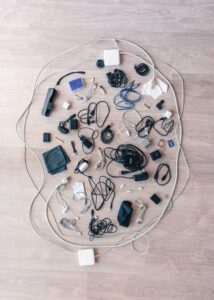
Store less frequently used items in drawers, shelves, or nearby containers. Use a small tray for loose supplies and a cable organizer to keep wires from spreading across the desk. Labeling storage areas can also make it easier to return items to their proper places.
Avoid filling every part of the desk. Leaving some open space gives you room to write, review documents, or move equipment when needed. A clean surface can also make it easier to start work without spending time preparing the area.
Reduce Digital Distractions
Your physical setup is only part of the focus equation. The computer itself can introduce interruptions through notifications, open tabs, and crowded desktops.
Before starting an important task, close unrelated tabs and silence notifications that are not urgent. Keep frequently used files in clearly named folders so you do not waste time searching. A simple desktop background and a limited number of shortcuts can also make your screen feel less busy.
Consider creating separate browser profiles or workspaces for different activities. For example, one may be used for writing, another for communication, and another for personal browsing. This can help you stay focused on the task in front of you.
Add Small Comfort Features
A few simple accessories can improve the overall experience of using your desk. A desk mat can provide a smooth surface for your keyboard and mouse, while a wrist rest may feel comfortable for some people. A footrest can help if your feet do not reach the floor after adjusting your chair.
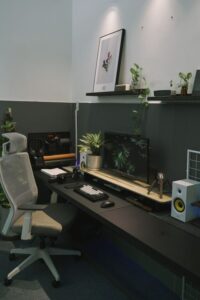
Keep a water bottle nearby and choose a container with a secure lid to protect your equipment. If you enjoy background sound, use a speaker or headphones at a comfortable volume. Plants, artwork, or a small personal object can make the area more welcoming without adding clutter.
Choose accessories based on how they feel and function rather than appearance alone. Every item should support your work or make the space more pleasant to use.
Build Better Desk Habits
Even the best desk setup cannot replace regular movement and short breaks. Change your position throughout the day instead of staying still for long periods. Stand up, walk around, stretch lightly, or look away from the screen during natural pauses.
Try using a simple work rhythm, such as focusing for a set period and then taking a brief break. During breaks, step away from the desk when possible. This gives your eyes and attention a change of distance and scenery.
At the end of the day, take a few minutes to reset your workspace. Return supplies to their usual locations, clear away unnecessary items, and prepare anything you will need tomorrow. This small routine can make it easier to begin your next work session.
Review and Adjust Regularly
Your needs may change as your work, equipment, or room changes. Review your setup every few weeks. Ask yourself whether you are reaching too far, leaning toward the screen, dealing with glare, or losing time to clutter.
Make one adjustment at a time and use the setup for several days before deciding whether it helps. A comfortable workspace is not created in one step. With a few thoughtful changes, your desk can become a calmer, more organized place that supports both focused work and everyday comfort.